A QR code is excellent for finding an expected visit, but it mainly proves possession of the invitation. An identity document adds evidence about the visitor's claimed identity. A live face comparison can bind the person at reception to the document image or an approved enrollment. None of these methods alone answers whether entry should be permitted: the visitor management platform must still check host approval, visit time, location, policy, watchlist or compliance conditions, and current access status.
The four different questions hidden inside “visitor verification”
Visitor management discussions often use check-in, identification, verification, and access approval as if they were the same step. They are not. Treating them as separate decisions makes the reception workflow easier to design, test, and explain.
1. Which visit is this person claiming?
A confirmation number, QR code, email address, mobile number, or receptionist search can retrieve the expected visit. This is useful orchestration: it connects the arrival to a host, purpose, location, and time. It does not necessarily prove that the person presenting the code is the invited individual. Invitation links and screenshots can be forwarded, phones can be shared, and printed codes can be copied.
2. Does the claimed identity exist?
An identity document can provide stronger evidence than a typed name. Depending on the document and reader, the system may capture printed data, the portrait, document number, expiry, machine-readable zone, barcode, or chip information. Document capture is not the same as document validation, however. Reading visible text proves only that the text could be extracted; validation examines whether the evidence is authentic, accurate, and valid.
3. Is the person the rightful holder of that identity?
A receptionist can visually compare the visitor with the document portrait. A biometric workflow can instead capture a live face and perform a one-to-one comparison with the portrait from the document or an approved pre-enrollment record. NIST's current identity-proofing model separates resolution, evidence validation, and verification for exactly this reason: a valid document and the person presenting it are related but distinct questions.
4. Is this verified person allowed to enter now?
Identity is an input to authorization, not a substitute for it. The visitor may be genuine but early, late, at the wrong building, awaiting approval, assigned to an escort, restricted from a zone, or associated with a cancelled meeting. The access result should therefore combine identity assurance with the current visit and site policy.
What QR codes, documents, and facial verification actually prove
| Method | What it establishes well | What it does not establish alone | Typical visitor use |
|---|---|---|---|
| QR code or visit token | Possession of a valid invitation reference and fast retrieval of the visit | That the presenter is the person named in the invitation | Low-friction pre-registered arrival and queue reduction |
| Receptionist confirmation | Contextual review by a trained operator who can ask questions and inspect evidence | Consistent assurance when staff, workload, and procedures vary | Assisted visits, exceptions, and low-volume receptions |
| Identity-document capture | Structured identity attributes and a portrait from presented evidence | Document authenticity or rightful ownership unless additional checks are performed | Regulated, controlled, contractor, and first-time visits |
| Live face-to-document comparison | Whether the live visitor corresponds to the portrait on the presented evidence | Whether the document itself is genuine or the visit is authorized | Higher-assurance self-service or assisted reception |
| Face against approved enrollment | Whether the arrival corresponds to a previously enrolled visitor record | Whether circumstances or permission have changed since enrollment | Frequent visitors, recurring services, and expedited return visits |
A QR code is useful even when it is not identity proof
The limitation does not make QR check-in weak or unnecessary. It makes its role clear. A QR code can remove data entry, reduce spelling errors, select the correct tenant or site, retrieve the host's instructions, and move an expected visitor into the correct lane. At many commercial offices, a valid invitation combined with a visible receptionist, host notification, and escorted visit may provide an appropriate level of assurance.
Document scanning should not become security theatre
A site should define what it does with document data before collecting it. If the workflow only copies a passport or ID image into a record that nobody validates, the organization creates privacy and security obligations without necessarily improving the entry decision. Capture should have a stated purpose: extract required fields, validate supported evidence, compare the live holder, meet a documented record requirement, or support an accountable exception review.
Face verification binds a person to a reference
Face verification is usually a one-to-one comparison. The visitor claims an identity by presenting a document, invitation, or enrolled record, and the system compares the live capture with the associated reference image. This differs from one-to-many identification, where the system searches a gallery to determine who the person may be. Verification can narrow the privacy and operational scope because the claimed identity determines the comparison.
Liveness addresses only part of the threat
Presentation attack detection can help detect attempts involving photographs, screens, masks, or other artefacts presented to the capture device. ISO/IEC 30107 provides the framework and terminology for this area. Liveness is important where impersonation risk justifies it, but it does not validate the identity document, check the invitation, or authorize the door. It is one control within the larger workflow.
Match visitor assurance to the site, visit, and consequence
Requiring every person to complete the strongest possible process is rarely the best answer. It can create unnecessary queues, collect excessive personal information, and make routine reception harder to operate. Applying one weak process to every visitor is equally problematic. The better approach is to classify visits and assign proportionate checks.
- Known host and pre-approved meeting
- Public or supervised office area
- Short visit with escort or visible reception
- QR retrieval with host or receptionist confirmation
- Minimal necessary visitor information
- Critical, regulated, industrial, or restricted location
- Unescorted movement or access to controlled zones
- First-time contractor, service provider, or sensitive visit
- Document validation and live holder verification where justified
- Explicit approval, policy screening, and controlled access issuance
The classification can consider the facility, destination zone, visitor category, visit purpose, host, frequency, duration, required escort, and impact of unauthorized entry. A government office receiving a member of the public, a data center admitting an equipment technician, and a corporate headquarters welcoming a meeting guest should not be forced into identical journeys.
Design the complete journey, not only the check-in screen
Record the visitor, host, purpose, location, time, and assurance level before arrival.
Explain what to bring, what data will be used, and whether remote pre-enrollment is optional or required.
Use QR, reference, email, mobile number, or operator search to find the expected visit.
Apply the required document, facial, receptionist, or alternative identity check.
Check approval, time, site, escort, restrictions, and current access policy.
Confirm entry and exit, recover credentials, notify the host, and retain only the required record.
Remote pre-enrollment can move work away from reception
A secure visitor link can allow an invited person to provide required information, capture an identity document, submit a face image, review a notice, or complete a declaration before travelling. This can shorten the arrival transaction and give the organization time to resolve missing or inconsistent information. It should not turn an ordinary visit into an opaque data-collection exercise. The visitor needs clear instructions, secure transport, a defined retention policy, and an assisted alternative when remote capture fails.
On-arrival verification confirms that the expected person appeared
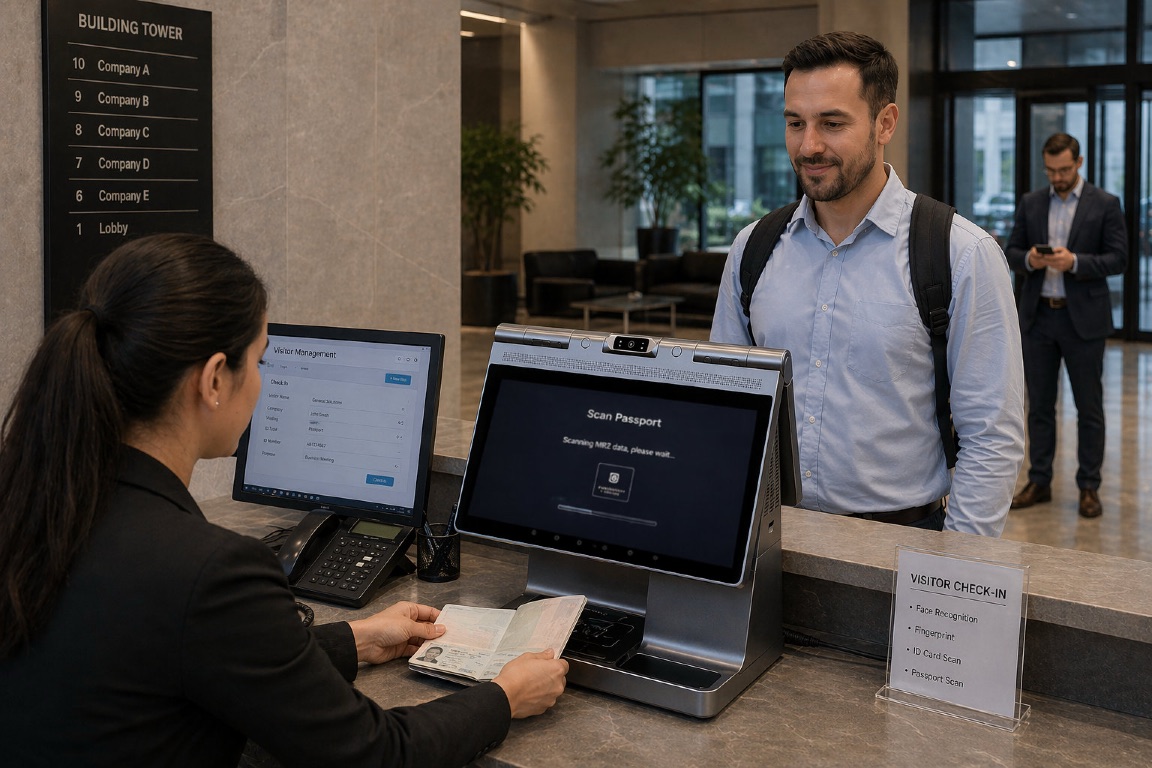
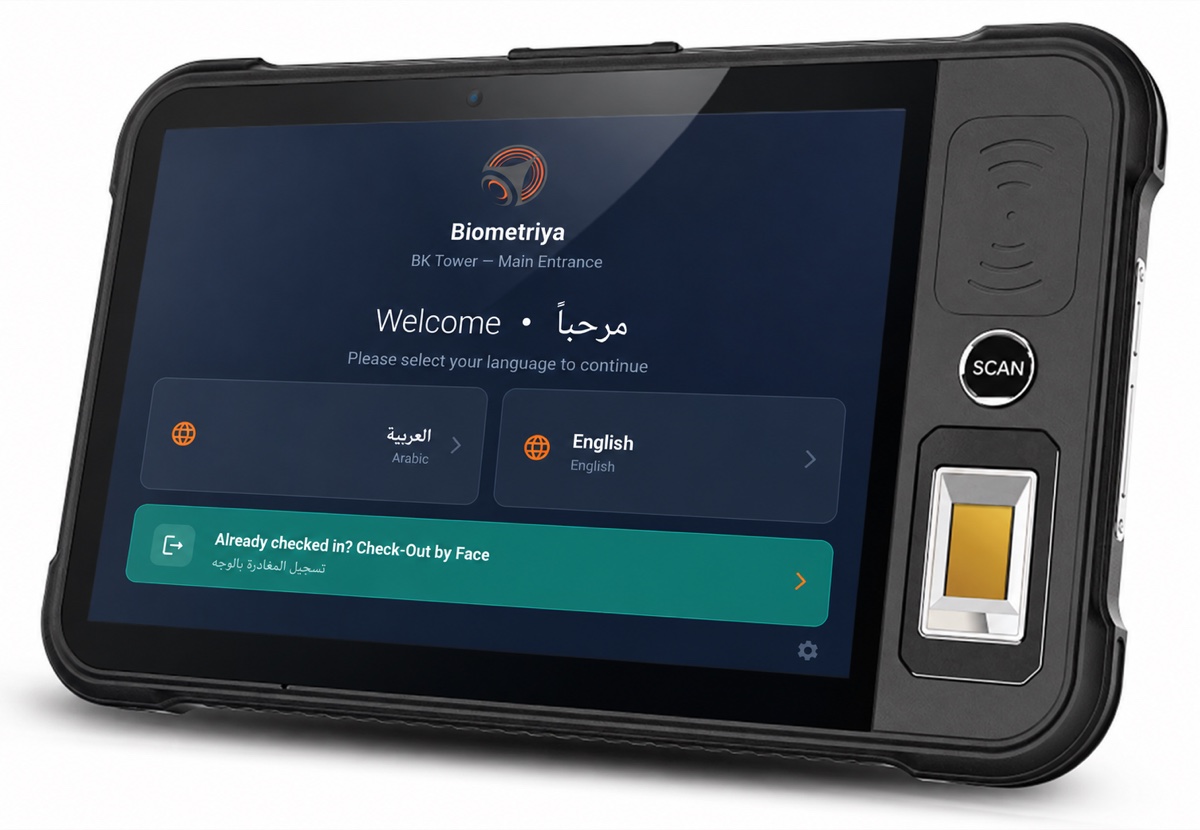
At reception, Biometriya Visitor Management System (BVMS) can retrieve the approved visit and guide the appropriate identity step. A desktop kiosk can support self-service or receptionist-assisted document and face capture. FacePass can extend touchless verification to the access point, while a BMBT rugged biometric tablet can support security and reception personnel away from the fixed desk.
Authorization should be evaluated again at the point of entry
A visitor can be verified at reception and still require a separate access decision at a turnstile, speed gate, door, or remote entrance. The access layer should use the current visit record, not assume that an identity enrolled earlier remains authorized indefinitely. Time-bound access, zone limitations, escort rules, anti-passback, and checkout status make the credential useful without making it permanent.
Host and operator visibility are part of security
Host notifications reduce waiting, but the operational view should go further. Reception and security need to see expected, arrived, verified, inside, overdue, denied, and checked-out visitors; identify exceptions; and understand which operator took an action. A command view transforms separate check-ins into a live site picture and provides a more reliable record during an incident.
Privacy, exceptions, and resilience determine whether the design works
Collect the minimum data that supports the stated decision
Visitor data may include contact details, document attributes, document images, facial images, biometric templates, host information, access events, and visit history. These fields do not need identical retention periods. The site should document why each field is required, who can see it, where it is stored, whether it is shared, when it is deleted, and how a visitor can exercise applicable rights.
NIST SP 800-63A-4 recommends a privacy risk assessment for identity proofing and specific consideration of biometrics, images, scans, evidence copies, additional verification steps, and retention. It also emphasizes offering multiple methods and exception handling so applicants with different capabilities and evidence can still complete an appropriate process. Visitor programs can apply the same sound design principles even when they are not implementing a NIST-governed federal identity service.
Plan a real alternative path
A person may not have the expected document, may be unable to use the camera reliably, may object to a biometric process where an alternative is required, or may need accessibility assistance. An alternative should not be an improvised bypass. It should define who can approve it, what evidence is accepted, whether an escort is required, how the exception is recorded, and when the temporary permission expires.
Design for connectivity and device failure
Reception cannot simply stop when a remote service, camera, reader, printer, or access integration becomes unavailable. Define which approved visits can be processed from a local cache, which higher-risk visits must wait for service restoration, how offline events are reconciled, and how emergency access instructions are communicated. The fallback should preserve a defensible level of control rather than silently turning every failure into approval.
Measure the whole operation
Useful metrics include pre-registration completion, median and 95th-percentile check-in time, document-read success, face-capture retries, false rejection and exception rates, host response time, manual resolution time, queue length, visitors currently inside, overdue visits, and unconfirmed checkouts. Break results down by visitor type and entrance so a smooth executive lobby does not hide a failing contractor gate.
Choosing the right visitor verification pattern
Start with the consequence of getting the decision wrong, then select the minimum set of controls that delivers the required assurance. The same BVMS deployment can support several patterns:
- Fast invited guest: QR retrieval, host approval, reception confirmation, badge issuance, and supervised access.
- Verified business visitor: QR retrieval, document capture, live face-to-document comparison, approval check, and time-bound access.
- Recurring service provider: approved enrollment, face verification on return, validity and assignment checks, and controlled site access.
- Remote or temporary entrance: assisted verification on BMBT, live synchronization with BVMS, and explicit exception handling.
- High-security visit: validated identity evidence, live biometric verification with appropriate presentation-attack controls, screening, escort policy, restricted zones, and complete audit history.
The strongest visitor workflow is not the one that collects the most data. It is the one in which every step has a clear purpose, each result feeds the next decision, and operators can explain why the visitor was admitted.
Frequently asked questions
Does scanning a visitor's QR code verify their identity?
Usually it verifies possession of a visit reference and retrieves the invitation. Unless the code is combined with another trusted factor or identity check, it does not prove that the presenter is the person named in the visit.
Is an identity-document scan enough for secure visitor check-in?
It depends on the risk and what the system does with the scan. Data extraction alone is not document validation, and a genuine document still needs to be connected to its rightful holder. Higher-assurance visits may require authenticity checks and a visual or biometric holder comparison.
Should every visitor complete facial verification?
Not necessarily. The process should be proportionate to the location, visitor type, level of supervision, and consequence of unauthorized access. Organizations should also assess applicable privacy, employment, biometric, and sector-specific requirements and provide appropriate alternatives.
Can visitors enroll their document and face before arrival?
Yes. Secure pre-enrollment can reduce reception time and allow issues to be reviewed before travel. The workflow still needs clear notices, protected transmission and storage, a defined retention period, and an on-arrival step that confirms the approved visitor is present.
What happens if face verification fails?
The system should offer guided retries and then route the person to an authorized assisted process. A failure is not proof of fraud, and it should not automatically become approval. The exception workflow should record the alternative evidence, operator, decision, access limits, and expiry.
Reference standards and independent resources
- NIST SP 800-63A-4: Identity Proofing and Enrollment — current guidance on identity resolution, evidence validation, identity verification, privacy risk, and exception handling.
- NIST SP 800-63A-4 biometric requirements — guidance on using biometrics to verify the rightful subject of identity evidence and on transparency and consent.
- ISO/IEC 30107-1:2023 — framework and terminology for biometric presentation attack detection.
- UK Information Commissioner's Office biometric recognition guidance — practical regulatory guidance on biometric recognition and data protection.